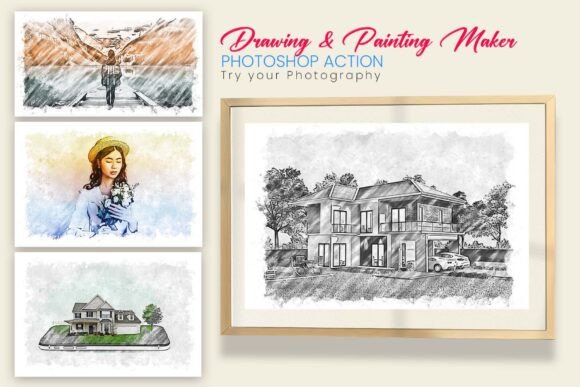
Streamlining Creativity: A Closer Look at Drawing Painting Maker
Introduction to a Time-Saving Photoshop Action
The Drawing Painting Maker is a Photoshop action designed to simplify the process of transforming photographs into detailed digital drawings and paintings. Aimed at creatives across disciplines—graphic designers, photographers, and digital artists—this tool promises professional results with minimal effort. It’s not just a shortcut; it’s a way to expand creative possibilities without investing hours in manual editing.
What Sets Drawing Painting Maker Apart
At its core, Drawing Painting Maker leverages Photoshop’s action automation to apply complex layer adjustments and brush effects in a single click. Unlike basic filters or online converters, this action generates layered outputs that maintain editability. This means users can fine-tune shadows, textures, and brush strokes to match their unique style or project requirements.
Its compatibility with Photoshop CS6 and newer versions ensures broad accessibility. Whether you're working on a portrait, concept art, or product visualization, the tool adapts to different image types while preserving the integrity of the original content.
Key Features in Practice
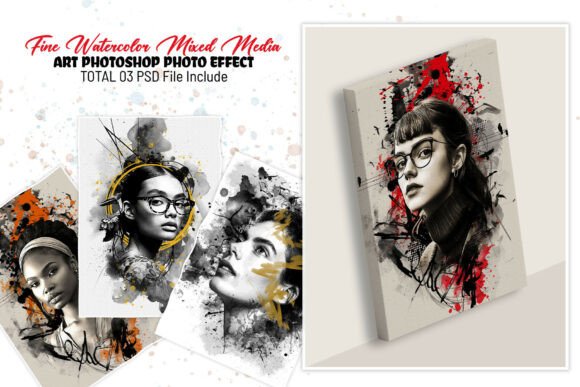
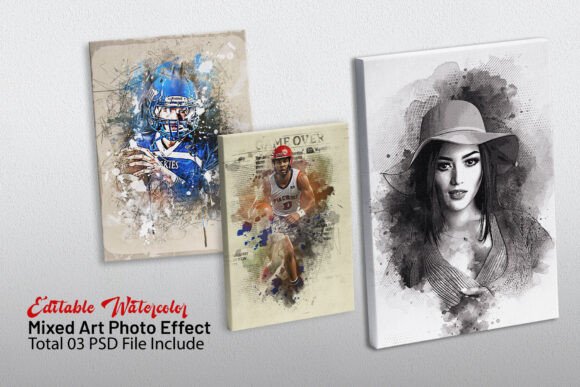
- Realistic Drawing Painting Effect – The output mimics hand-drawn and painted textures with surprising fidelity. This is especially useful for illustrators aiming to blend realism with artistic flair.
- Easy to Use – Minimal steps are required: brush over the subject and run the action. This makes it accessible even to users with limited Photoshop experience.
- High-Resolution Output – The results are crisp and detailed, suitable for print and web use without visible loss of quality.
- Fully Editable Layers – One of the most valuable aspects is the ability to modify individual layers. This flexibility supports creative experimentation without starting from scratch.
- Time-Saving Automation – Tasks that might take 30 minutes or more manually can be completed in under a minute, allowing for faster iterations and client revisions.
- Works with All Photoshop Versions (CS6+) – Ensures compatibility across different workstations and team environments.
What You Get in the Package
The download includes three essential components:
- ATN File – The action script that automates the transformation process.
- ABR File – Custom brushes that enhance texture and mimic traditional media like charcoal, pencil, or oil paint.
- PAT File – Seamless patterns that can be layered in for added depth or background effects.
Together, these assets create a cohesive toolkit for producing polished, stylized visuals efficiently.
Real-World Performance and Practical Use
In practice, Drawing Painting Maker shines in environments where time and consistency matter. For instance, a freelance illustrator working on a book project can apply the action across multiple images, then tweak individual elements to maintain a unified style. Photographers offering artistic prints to clients can offer varied looks without deep Photoshop expertise.
One test involved converting a portrait photo into a charcoal sketch. The action applied the effect in under 10 seconds. A few additional minutes were spent adjusting contrast and softening edges—far less than the manual alternative. The result was clean, expressive, and suitable for both digital and print distribution.
For web designers creating concept art or mockups, the ability to quickly generate stylized visuals can streamline the ideation phase. Similarly, educators working on digital art tutorials can demonstrate transformation techniques using a repeatable, teachable process.
Strengths and Limitations
The primary strength of Drawing Painting Maker lies in its balance of quality and efficiency. The output is consistently high, and the layered structure allows for customization that many one-click tools lack. It also respects the original composition, meaning the artistic effect enhances rather than obscures the source image.
However, as with any automated tool, there are limitations. While the action handles most subjects well, complex scenes with multiple overlapping elements may require additional masking or layer adjustments. Users expecting fully finished artwork without any post-processing may be disappointed. It’s best viewed as a powerful starting point rather than a final solution.
Who Benefits Most from This Tool?
Drawing Painting Maker is particularly useful for:
- Digital Artists & Designers – Looking to add painterly effects without spending hours on brushwork.
- Photographers – Seeking to offer stylized portraits or artistic prints to clients.
- Concept Artists – Who need to generate multiple visual variations quickly during the ideation phase.
- Web & Print Designers – Interested in stylized imagery for branding, editorial, or UI mockups.
- Educators & Tutors – Teaching digital art or Photoshop techniques in a structured environment.
Freelancers and small studios will appreciate the efficiency boost, especially when handling bulk edits or client revisions under tight deadlines.
Final Thoughts: A Worthwhile Addition to Your Photoshop Toolkit
The Drawing Painting Maker isn’t a replacement for artistic skill, but it does serve as a reliable assistant that amplifies your creative output. By reducing repetitive tasks and offering high-quality, customizable results, it supports a more fluid and productive workflow.
If you frequently convert photos into artistic visuals and value efficiency without sacrificing control, this action is worth considering. It's particularly effective for those who want to maintain a professional look while experimenting with different styles or delivering polished results under time constraints.